Feedback
Got an idea that would make Gigiddy better? Suggest a feature or report a bug — and upvote the ones you want most.
Log in to submit ideas and vote on suggestions
Got an idea that would make Gigiddy better? Suggest a feature or report a bug — and upvote the ones you want most.
To get push notifications on iPhone, add Gigiddy to your Home Screen from Safari.
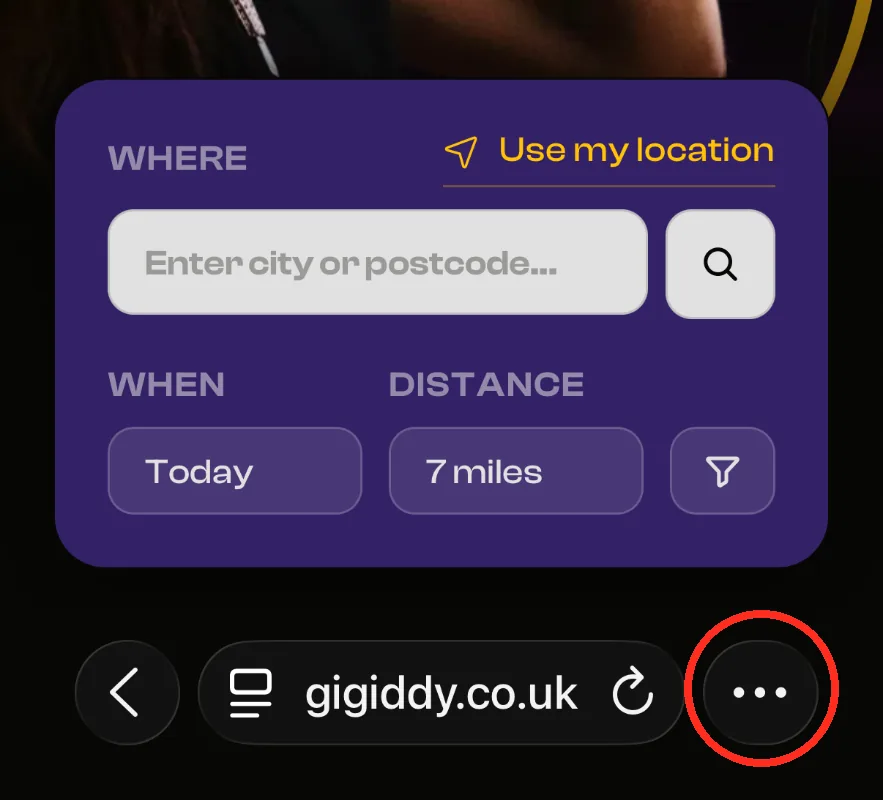
Tap the ••• button at the bottom-right of Safari
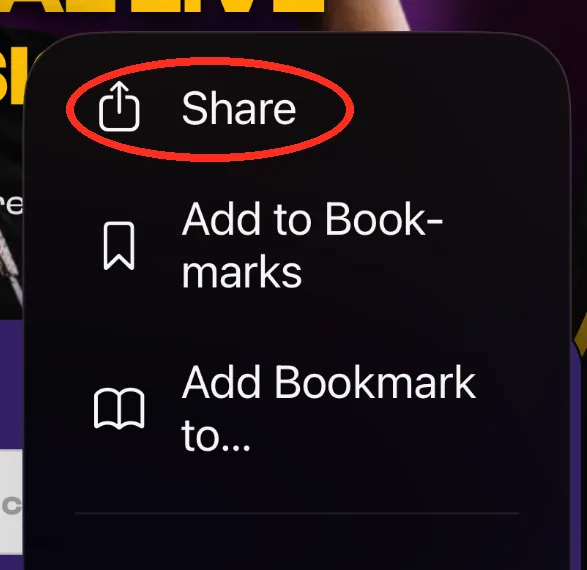
Tap Share
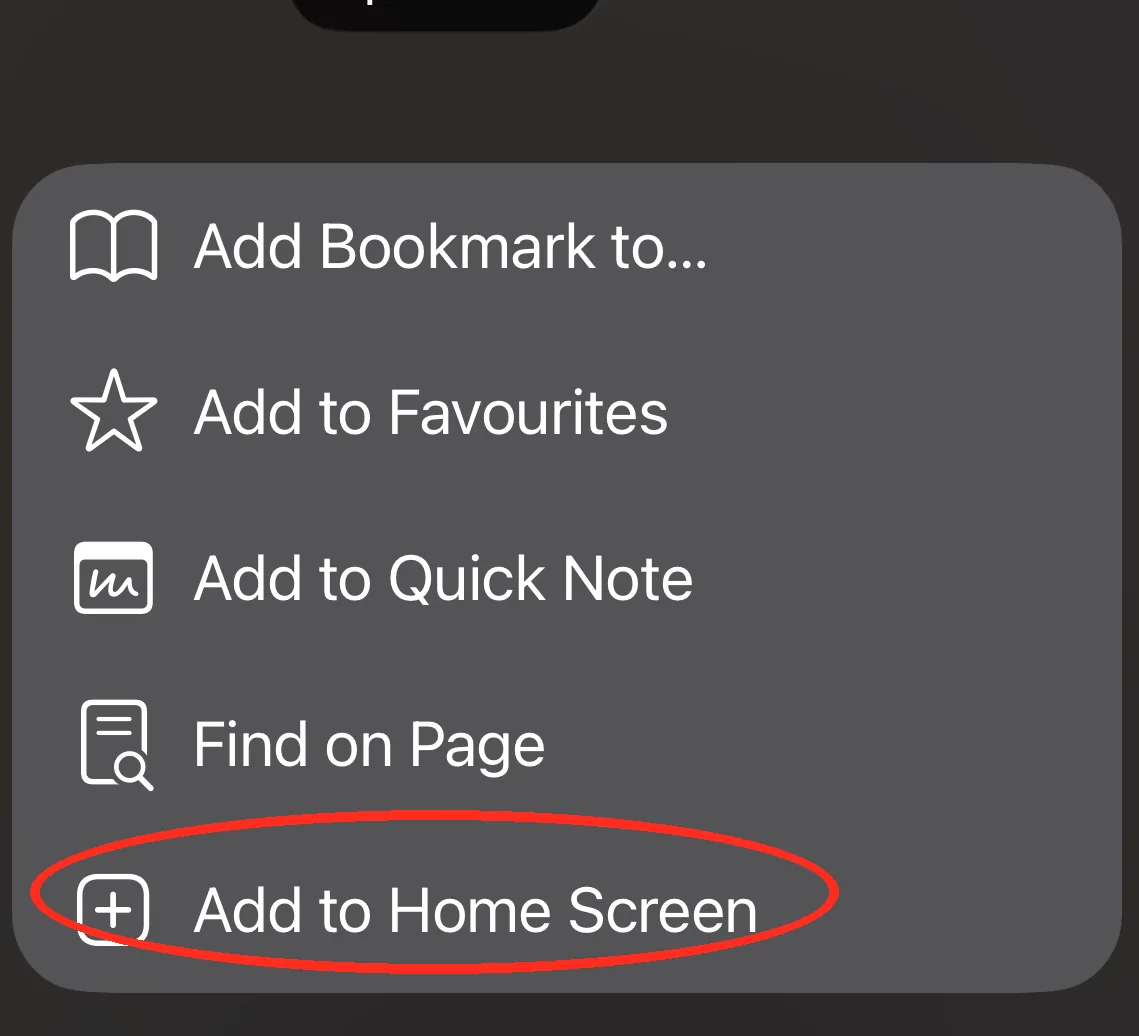
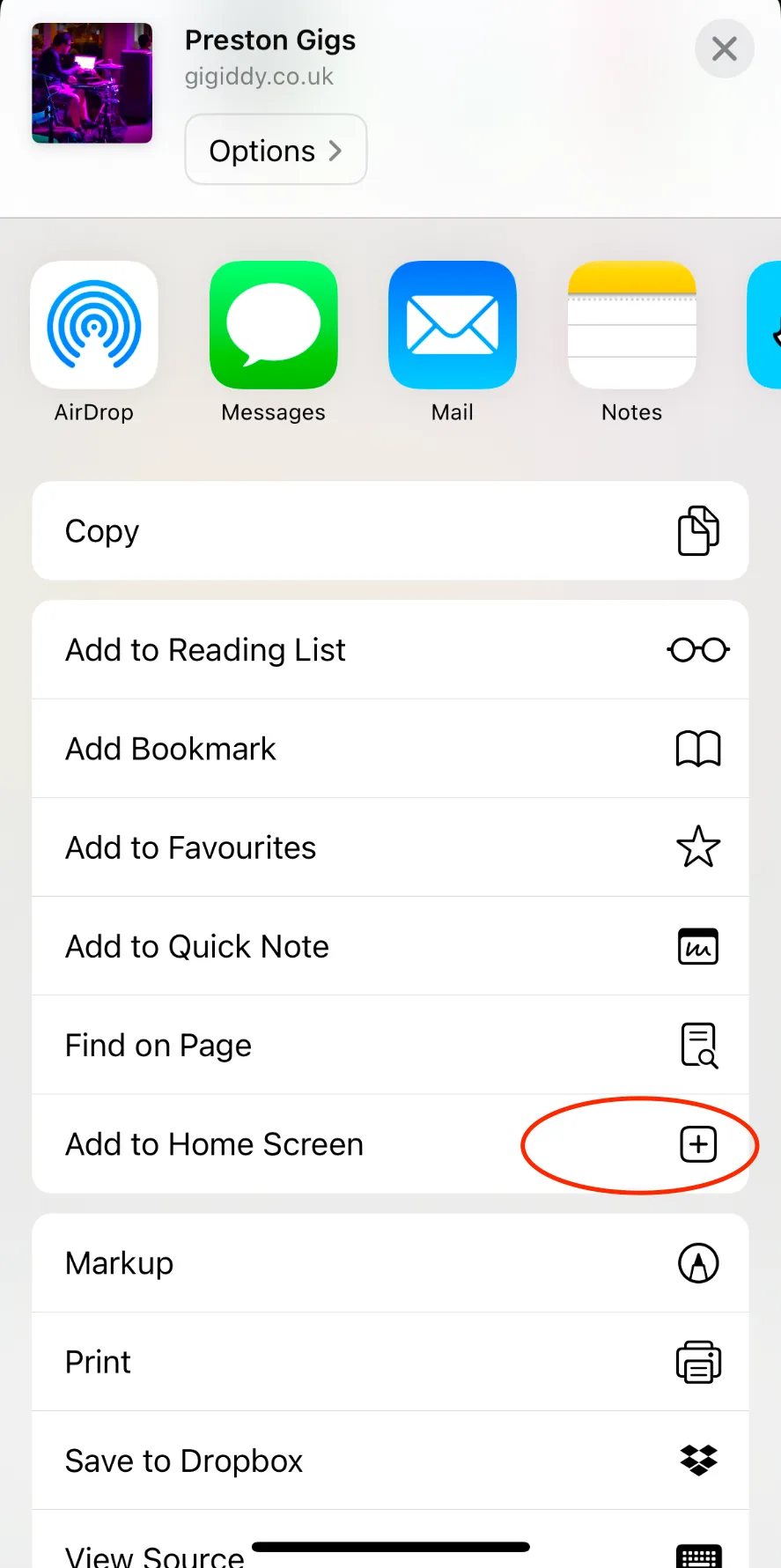
Scroll down and tap "Add to Home Screen"
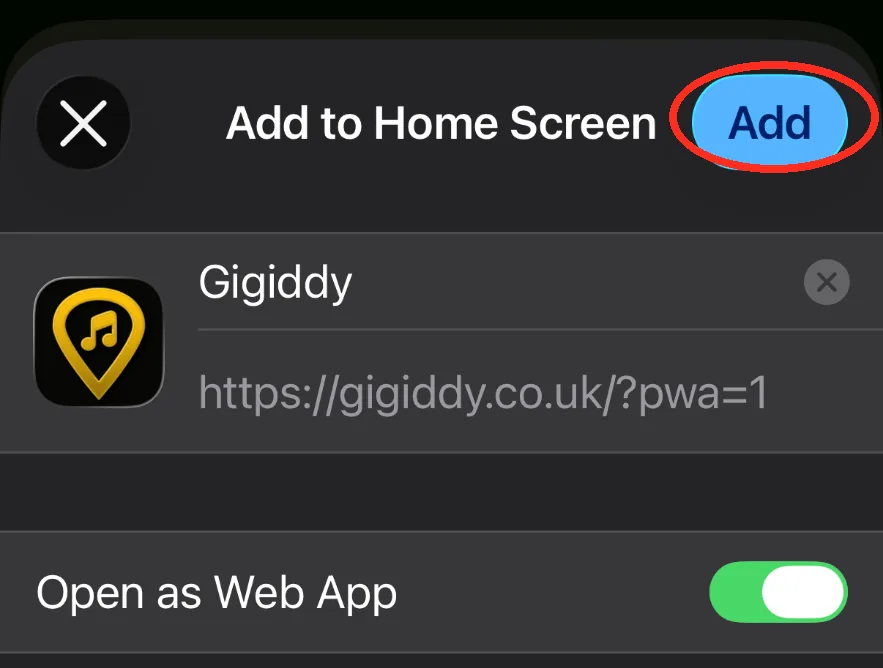
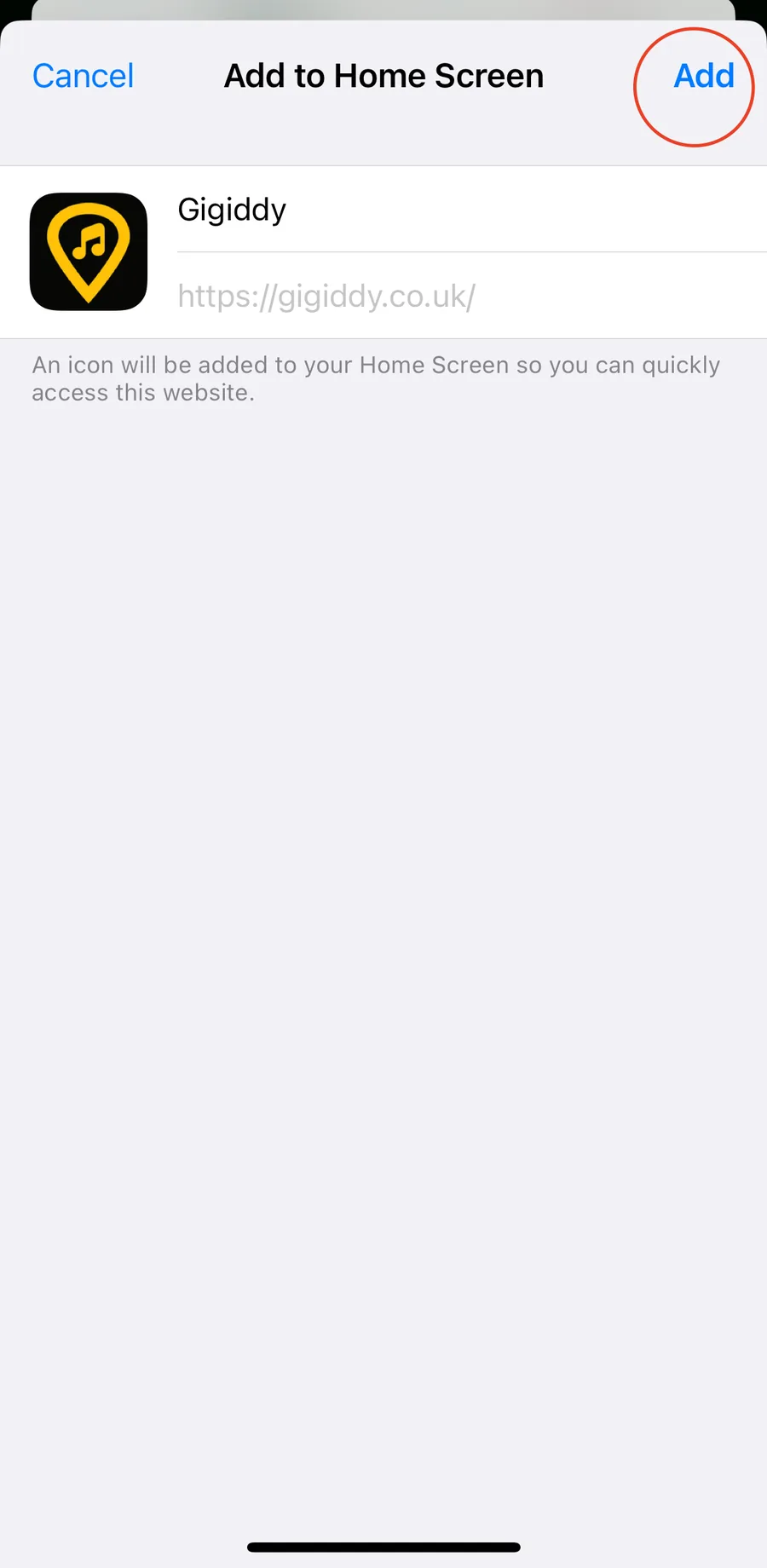
Leave "Open as Web App" on, then tap "Add"
Open Gigiddy from your Home Screen and enable push notifications
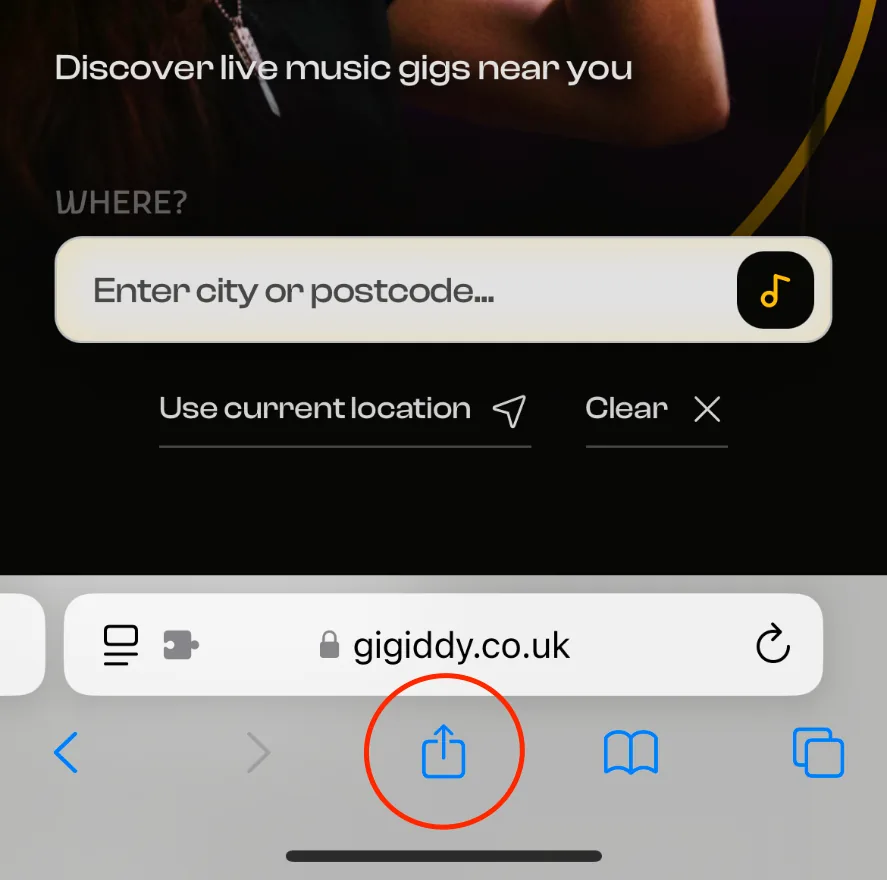
Tap the Share button at the bottom of Safari
Scroll down and tap "Add to Home Screen"
Tap "Add" in the top-right corner
Open Gigiddy from your Home Screen and enable push notifications